Products similar to Fireflies.ai
Discover products related to Fireflies.ai, compare focus, stage, and positioning.
A closely related product to Fireflies.ai is JotHero 通告救星. If you want more options, here is a ranked list of other products in a similar space. Other interesting products related to Fireflies.ai include: WhatsTeam, Octoopus, Unread. and Subtitle Studio AI.
Products related to Fireflies.ai are often tagged Productivity, and may also appear under AI & Automation or AI & Machine Learning. Browse these categories for a narrower list.

Written by Eric Leung
Last updated: September 18, 2026 at 8:00 AM
JotHero is an AI family calendar app. Scan school notices, bills, and appointments; sync instantly to a shared calendar. Multilingual translation, task tracking, and expense management for seamless collaboration with family and helpers.

Summary
JotHero is an AI-powered family calendar app built for urban households and multi-role collaboration. Scan school notices, bills, or appointment slips in one tap; AI extracts dates, times, and details, then syncs them to a shared calendar. Partners, family, and domestic helpers receive instant updates—no more missed deadlines.
What is JotHero?
JotHero is a family collaboration calendar system combining AI document scanning, multilingual translation, and real-time task tracking. Users photograph paper notices or receipts; the system auto-recognizes content and creates calendar events. It supports Indonesian, Filipino, English, and other languages, ensuring every household member or helper understands tasks clearly. One person logs it, everyone stays in sync. Orange marks incomplete tasks, green shows completion—status at a glance.
Core Capabilities
- AI scanning and auto-event creation: Photograph notices or receipts; AI extracts dates, times, and content, syncing to the shared calendar
- Multilingual translation interface: Auto-translates to Indonesian, Filipino, or English so helpers can view tasks in their native language
- Real-time task tracking: Mark tasks complete with one tap; calendar items flip from orange to green, updating all devices instantly
- Smart reminders and notifications: Set individual reminders per event; multilingual reminder screens ensure on-time execution
- Expense butler: Auto-categorizes daily spending, tuition, utilities; displays monthly totals and per-member breakdowns
- 36-color smart notes: Color-code notes and set reminders for specific members; important items stay visible
- Batch time-off and shift planning: Mark long breaks or single days off; displays clearly on the shared calendar
- Cloud notice library: Saves full scan history; share any item with the household in one tap
- Style Market themes: Starry night, cherry blossom, forest wallpapers and cute schedule stickers make calendars enjoyable
- Admissions portfolio generator: Tag items in notice history; generate a professional PDF for primary applications in one tap
- Home-screen widget: View today's and tomorrow's events without opening the app
Pros
- One person logs it, everyone syncs: Partner, family, or helper scans or adds an event; all devices update instantly, cutting communication overhead
- Cross-language collaboration: Parents view in Chinese, helpers in their native language—same notice, zero mix-ups
- Visual task status: Orange for incomplete, green for done—progress at a glance, no need to ask repeatedly
- Back-to-school and admissions tools: Built-in checklists and portfolio generator save parents from last-minute scrambles
- Personal themes and privacy controls: Shared calendar doesn't mean shared look; each member picks their own wallpaper and theme; separate accounts and permissions protect privacy
Positioning & best fit
JotHero is designed for dual-income urban families, multilingual households, and families with domestic helpers. It solves paper-notice chaos, cross-language communication gaps, and low-efficiency household coordination. Ideal for modern families who value time management and want to reduce friction in daily admin.
- Dual-income parents: Busy with work; need to scan school notices and bills quickly, auto-sync to avoid missed dates
- Families with helpers: Helper's native language isn't Chinese; Indonesian or Filipino interface ensures clear, error-free task execution
- Multi-child families: Manage extracurriculars, school events, and back-to-school lists for multiple kids; need categorization and batch tools
- Families preparing for admissions: Need to organize notice records and generate professional PDFs for primary school applications or interviews

Exploring the ecosystem? See the similar products series and browse Unwire Launch, a directory of Hong Kong products with categories and tags.

WhatsTeam turns your existing WhatsApp Business numbers into a shared team inbox. Scan QR code to connect in minutes—no Platform API or verification needed, same numbers. Conversations auto-backup; when staff leave, customer relationships stay with the company. AI drafts replies in each teammate's voice.

Summary
WhatsTeam turns your existing WhatsApp Business numbers into a shared team inbox for sales teams in real estate, insurance, retail, and services. Scan QR code to connect in minutes—no Platform API or business verification required, same numbers.
What is WhatsTeam?
WhatsTeam is a team collaboration tool that works with WhatsApp Business. When multiple salespeople each use their own number to chat with customers, relationships scatter across personal phones. WhatsTeam centralizes these numbers into one shared inbox: every conversation auto-backs up, handoffs are seamless, and customer relationships stay with the company when staff leave. AI learns each teammate's voice from real conversations and drafts appropriate replies for team review before sending.
Core Capabilities
- Shared team inbox — entire team replies to customers in one place; conversations can be handed off, not trapped on personal phones
- Auto-backup — messages, photos, voice notes, and files auto-save from day one; searchable anytime
- AI-assisted replies — AI learns each teammate's voice from real conversations and drafts appropriate replies
- Business continuity — when staff leave, conversations, contacts, and deal records stay with the company
- Management analytics — response speed, activity, and performance for each number and teammate at a glance
- Company contact book — customer names and numbers have one shared source across all connected numbers and teammates
Pros
- QR code setup — as simple as WhatsApp Web; each number connects in about one minute
- No Platform API needed — no business verification process or new numbers; works with existing WhatsApp Business numbers
- Customer relationships stay in-house — conversations and contacts back up to company account; business doesn't leave when staff do
- AI learns team voice — drafted replies sound like your teammates, not robots
- Live in one afternoon — most teams finish setup in one afternoon; no credit card to start
Positioning & best fit
WhatsTeam is built for Hong Kong teams that rely on WhatsApp for business, especially when each salesperson uses their own number to chat with customers. It solves scattered customer relationships, lost conversations when staff leave, and team collaboration challenges.
- Real estate agents — each agent uses their own number; conversations and customer records need centralized management
- Insurance teams — salespeople use personal numbers; customer relationships need to stay with the company when staff leave
- Retail and e-commerce — multiple staff use the same number; need to avoid duplicate or missed replies
- Clinics and service businesses — appointments and customer communication need complete records for handoffs and follow-ups

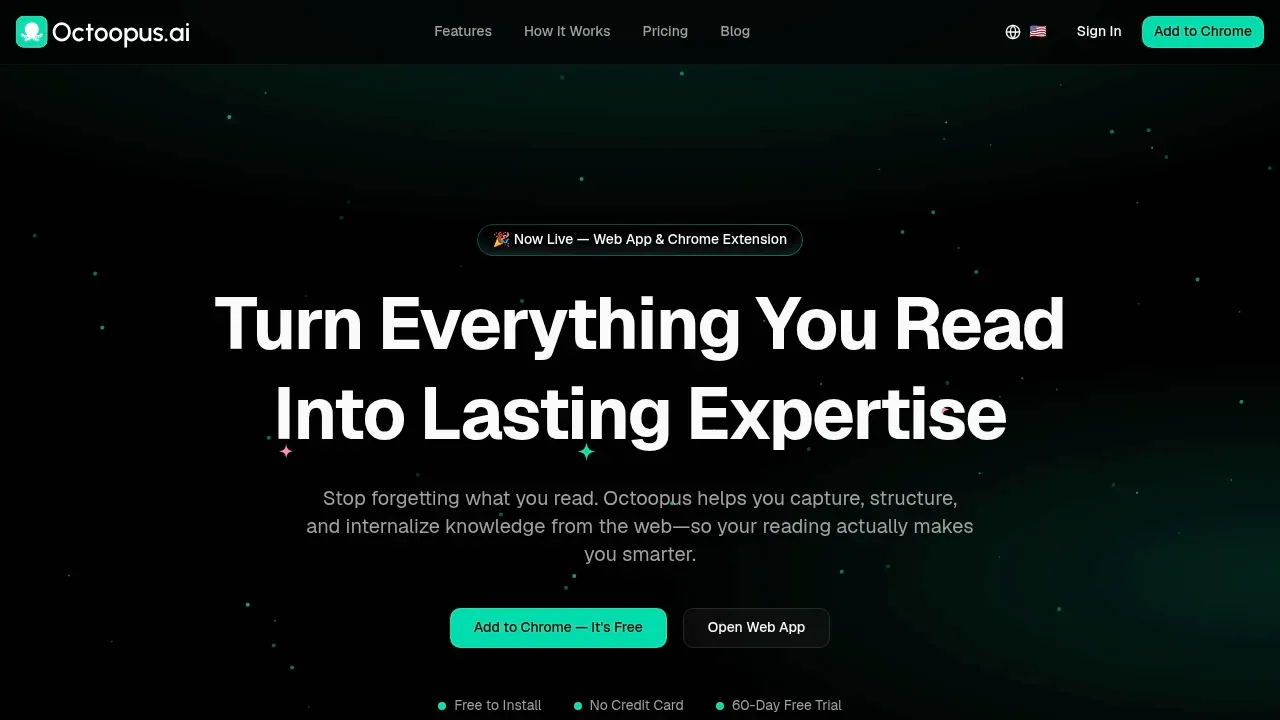
Octoopus is an AI-powered web highlighting and note-taking tool that helps you capture, structure, and internalize knowledge from the web. Chrome extension with instant sync, visual knowledge canvas, and AI summaries to make your reading truly productive.
Summary
Octoopus is an AI knowledge management tool for learners, transforming fragmented web reading into structured expertise through highlighting, notes, and visual knowledge maps. Chrome extension with instant sync and AI summaries.
What is Octoopus?
Octoopus is a complete learning loop system covering capture, structure, activate, and internalize stages. Users can highlight text on any webpage, add Markdown notes, and sync automatically to their knowledge base. Built-in AI features provide page summaries, knowledge research, and topic enhancement, paired with a visual Canvas map to build concept connections. Supports cross-device access and customizable keyboard shortcuts for faster workflows.
Core Capabilities
- Smart highlighting: Multi-color text marking with precision word-by-word mode, auto-save to knowledge base
- Quick notes: Add Markdown-formatted context and annotations to any highlight
- AI summaries: Instant page summaries integrated with your highlights
- Visual Canvas: Knowledge map showing concept connections, with Canvas Pool cloning
- Cross-device sync: Real-time sync with zero lag across all devices
- Keyboard shortcuts: Customizable hotkeys for faster highlighting and note-taking
Pros
- Complete learning loop: Systematic flow from capture to internalization makes reading actionable
- Zero learning curve: One-click Chrome extension install, no signup required to start
- Generous free plan: Unlimited notes and highlights forever, 20 AI credits monthly
- Instant sync experience: Zero lag operation keeps your reading flow uninterrupted
- Visual knowledge management: Canvas map makes concept connections immediately clear
Positioning & best fit
Octoopus is built for learners who need to extract and compound knowledge from heavy web reading. Ideal for individuals and teams looking to transform fragmented information into structured expertise.
- Researchers and students: Organize literature, build knowledge maps, prepare papers or exams
- Content creators: Collect inspiration, manage references, accelerate writing workflows
- Professional learners: Working professionals in continuous learning who need systematic industry knowledge management
- Knowledge workers: Teams consolidating information from multiple sources into personal expertise bases

Unread. is an AI-powered bookmark manager. One-tap save from any app, auto-categorize, theme clustering, smart search, and share collections. iOS & Android.

Summary
Unread. is an AI-driven bookmark manager that solves the "saved but never read" problem. One-tap save from any app, automatic categorization, theme clustering, periodic reminders, and shareable collections.
What is Unread.?
Unread. is a smart bookmarking assistant for information collectors. Save content from Instagram, YouTube, PTT, Reddit, Google Maps, and any webpage via the native share button. AI auto-categorizes, extracts thematic connections, and offers conversational search to retrieve what you need. Periodic review surfaces unread items, and public sharing lets you send curated collections to friends with one link.
Core Capabilities
- One-tap save: Store content from any app via share button—no copy-paste or app switching
- AI auto-categorization: Recognizes content type and files it automatically
- AI theme clustering: Analyzes context across bookmarks to generate topic groups
- Unread AI search: Personal assistant that retrieves and answers questions from your collection
- Periodic review: Analyzes habits and surfaces unread bookmarks
- Share collections: Publish single items or entire categories via link
- Cross-platform support: Threads, Instagram, Facebook, X, YouTube, PTT, Reddit, Google Maps, and any webpage
Pros
- Solves the bookmark black hole: AI proactively reminds you of unread content
- Zero learning curve: Uses native share button—no habit change required
- Discovers connections: Auto-clusters themes to reveal patterns in your collection
- Conversational search: Ask questions in natural language to find bookmarks fast
- Broad platform coverage: Supports major social, video, forum, and map platforms
Positioning & best fit
Unread. is built for information collectors, content curators, and knowledge workers. Ideal for users who save large volumes of web pages, social posts, and videos but struggle to review them, and for those who need to organize themes or share collections with teams or friends.
- Information hoarders: Frequently save content from social and video platforms; need smart organization and review
- Content curators: Aggregate themes and share curated collections with audiences
- Knowledge workers: Use AI search to quickly retrieve topic-specific bookmarks
- Mobile-first users: Primarily browse and save on mobile; need native iOS/Android support

Subtitle Studio generates subtitles locally on Mac, supporting Cantonese, Traditional Chinese, English, and 98+ languages. 100% offline, videos never uploaded, lifetime license with no subscription.

Summary
Subtitle Studio is a macOS-native AI subtitle generator that solves the time-consuming task of manual subtitle creation for video creators. 95%+ accuracy, 100% offline operation, no subscription required, supports 98+ languages including Cantonese and Traditional Chinese.
What is Subtitle Studio?
Subtitle Studio is a subtitle generation app that runs entirely on your Mac using OpenAI Whisper models for speech-to-text transcription. All processing happens on your device—videos never leave your computer. Optimized for Apple Silicon (M1/M2/M3/M4/M5) Neural Engine, transcription runs faster than real-time playback. Exports SRT format and Final Cut Pro native captions, integrating directly into your existing editing workflow.
Core Capabilities
- Local AI transcription: Uses Whisper models offline on Mac, auto-detects 98+ languages
- Bilingual subtitles & translation: Translate via local Ollama or public LLM APIs
- Native NLE integration: Export SRT or Final Cut Pro title layers for seamless use in Premiere, DaVinci, FCP
- Burned-in subtitle output: Export MP4 videos with embedded subtitles
- Batch processing: Convert multiple videos simultaneously
- Audio preprocessing: Voice activity detection (VAD) and noise reduction improve timeline accuracy
Pros
- Fully offline: Zero data collection, no account required, videos never touch any server
- Lifetime license: One-time $69 payment, no subscription, includes lifetime software updates
- Apple Silicon optimized: Built for M-series chips, extremely fast processing
- High accuracy: 95%+ accuracy with clear audio, minimal manual correction needed
- Workflow-friendly: Import directly into existing NLE, keep your timeline and shortcuts
Positioning & best fit
Subtitle Studio is built for video creators who value privacy and efficiency, especially those handling sensitive content locally or working in offline environments.
- Content creators & YouTubers: Quickly generate multilingual subtitles to expand audience reach
- Video editors: Integrate into Premiere, Final Cut, DaVinci workflows, save manual typing time
- Enterprises & educational institutions: Process internal training videos or course content without data leaving the organization
- Multilingual production teams: Support for Cantonese, Traditional Chinese, and 98+ languages meets localization needs
Exploring the ecosystem? See the similar products series and browse Unwire Launch, a directory of Hong Kong products with categories and tags.

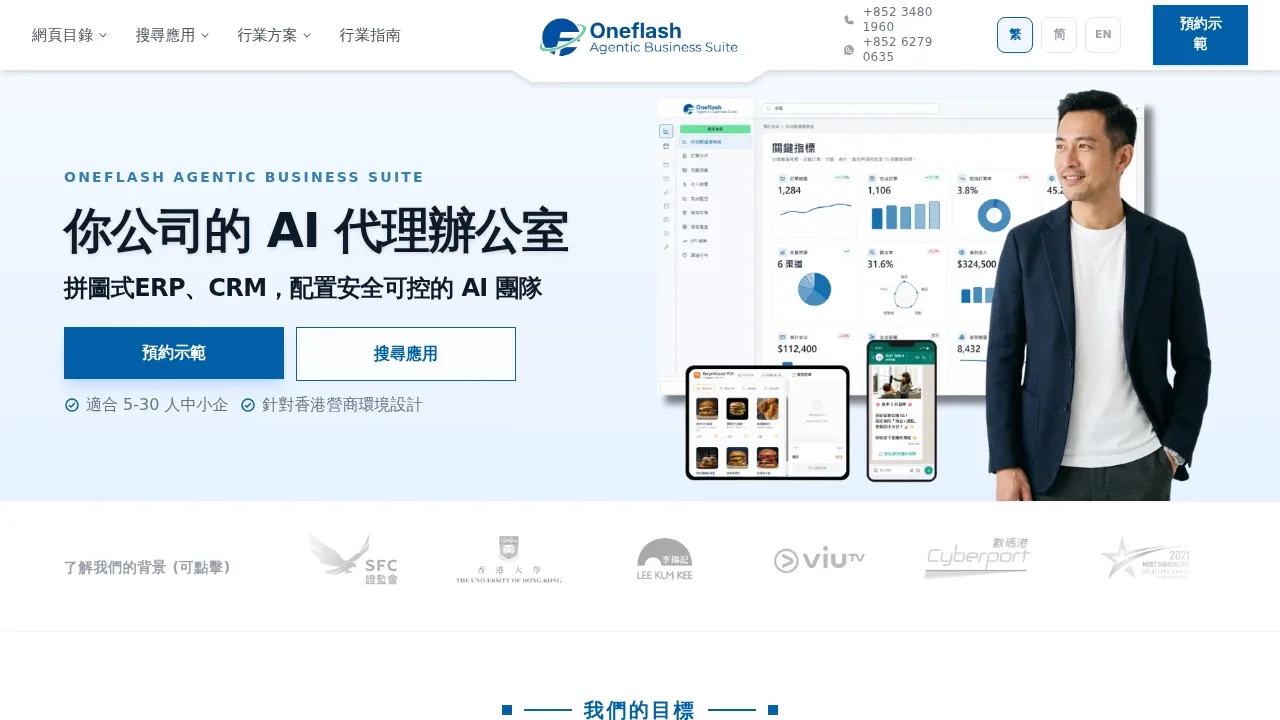
Oneflash provides an AI agentic business system for 5-30 person Hong Kong SMEs, integrating website, CRM, ERP, workflows & permissions. Teams collaborate with AI agents to automate daily operations, with local flow support & WhatsApp integration.
Summary
Oneflash Agentic Business Suite is an AI agentic business system designed for Hong Kong SMEs, integrating ERP, CRM, website & workflows. 5-30 person teams automate daily operations through AI agents, reducing repetitive work.
What is Oneflash?
Oneflash is a business system enabling teams to work alongside AI agents. It integrates customer management, order processing, billing, scheduling, content updates & WhatsApp—AI agents execute tasks on command, humans approve & oversee. Built for Hong Kong's business environment, supporting bilingual communication, local tax & labor regulations. Fits education, retail, wholesale, healthcare & accounting services.
Core Capabilities
- AI agent collaboration — Trigger flows with commands; agents organize data, prepare messages, update content
- Integrated ERP & CRM — Centralized customer records, orders, billing, scheduling, reports
- Smart website — AI agents analyze performance, auto-update content & promotional graphics
- Permissions & approvals — Role-based data access & operation control, approval workflow support
- WhatsApp Business integration — Auto-prepare messages, reply to inquiries, push promotions
- Localized flows — Bilingual support, local tax, labor law & Hong Kong work culture
- Data migration & backup — Assist with legacy data cleanup & import, auto-backup & sync support
Pros
- Human-AI collaboration design — AI handles repetitive tasks, humans oversee decisions, less training needed
- Local team support — Hong Kong office, WhatsApp instant support, PMP®-led project management
- Modular expansion — 20+ apps to mix & match, custom industry-specific flows available
- Phased rollout — Map core flows first, then stage deployment by priority to avoid disruption
- Data autonomy — Export, sync to your own cloud, retain your own copy
Positioning & best fit
Oneflash serves 5-30 person Hong Kong SMEs seeking an integrated operations system to centralize scattered tools & flows, gradually introducing AI agent automation. Ideal for teams needing unified customer management, order processing, billing & content updates—especially those valuing localized flows & instant support.
- Education centers — Student management, class scheduling, fee receipts, parent notifications, makeup lesson videos
- Retail & wholesale — Order processing, inventory, customer follow-up, payment reconciliation
- Professional services — Accounting, healthcare, consulting firms' client records, scheduling & reports
- Growing SMEs — Teams upgrading from Excel or fragmented tools to an integrated system

WISIO Studio is an AI computer vision platform offering smart annotation, no-code ML pipelines, and edge deployment, enabling teams to develop vision AI applications quickly without deep technical expertise.

Summary
WISIO Studio is an end-to-end AI computer vision platform that enables businesses and development teams to build, train, and deploy models in days instead of months, with no complex coding required. Designed to accelerate vision AI projects for teams needing rapid deployment of computer vision applications.
What is WISIO Studio?
WISIO Studio is a no-code computer vision development platform integrating smart annotation tools, automated machine learning pipelines, and edge device deployment capabilities. The platform allows non-technical users to train high-quality vision models and supports deploying models to edge devices for real-time inference. Suitable for object detection, image classification, defect detection, and other vision tasks.
Core Capabilities
- Smart annotation tools: Accelerate image data labeling and reduce manual annotation time
- No-code ML pipelines: Drag-and-drop interface to build and train models without coding
- Edge device deployment: Deploy models to edge devices for real-time inference
- Accelerated model training: Automated hyperparameter tuning and model optimization
- Multiple vision tasks: Support for object detection, image classification, segmentation, and more
Pros
- Dramatically shortens computer vision project timelines from months to days
- No deep machine learning background required; accessible to non-technical teams
- Smart annotation tools significantly reduce data preparation costs
- Supports edge deployment for applications requiring real-time inference
- End-to-end workflow from annotation to deployment in one platform
Positioning & best fit
WISIO Studio is built for enterprises and teams needing to rapidly develop and deploy computer vision applications, especially organizations lacking deep AI technical resources but wanting to adopt vision AI. The platform lowers technical barriers, enabling more teams to leverage computer vision for real business problems.
- Manufacturing QC teams: Factories needing to quickly build defect detection models
- Retail and logistics companies: Businesses wanting to implement object recognition and tracking systems
- Product development teams: Startups needing to embed vision AI features in their products
- Research and education institutions: Teams wanting to rapidly validate computer vision concepts

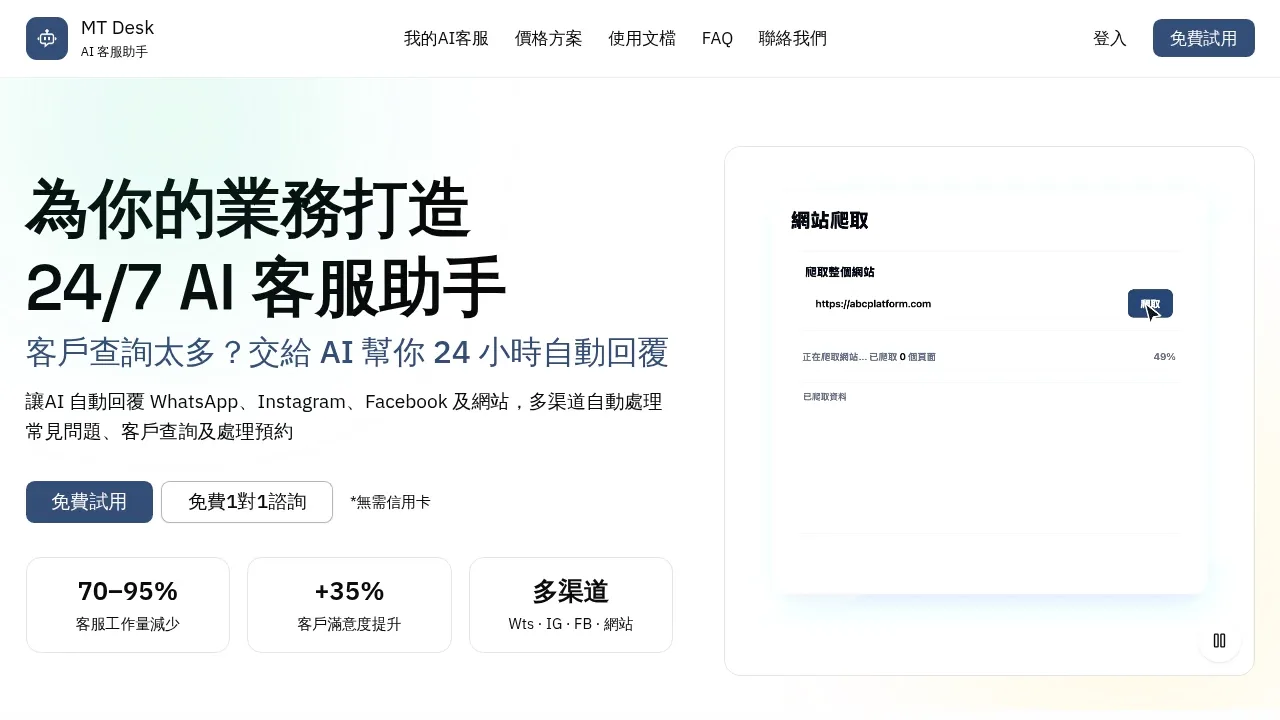
MT Desk AI assistant provides 24-hour automated customer service across WhatsApp, Instagram, Facebook, and websites. Handles common questions, customer inquiries, and appointment booking, reducing customer service workload by 70-95%.
Summary
MT Desk is an AI customer service automation platform that provides 24/7 multi-channel support for businesses. It handles WhatsApp, Instagram, Facebook, and website inquiries automatically, managing common questions and appointments while reducing customer service workload by 70-95%.
What is MT Desk?
MT Desk is an AI customer service assistant platform designed for SMEs and individual businesses. The system learns from your uploaded business data (website content, PDFs, Q&A documents) to automatically respond to customer inquiries and can connect directly to Google Calendar for appointment handling. When AI cannot handle a query, the system automatically transfers the conversation to human agents. As a Meta-certified technology provider, MT Desk offers stable multi-channel integration.
Core Capabilities
- Multi-channel auto-reply — unified management of WhatsApp, Instagram, Facebook, and website with instant customer responses
- Business data learning — upload website content, PDFs, text, or Q&A for AI to instantly learn your business
- Automated appointment handling — direct Google Calendar integration for automatic scheduling and confirmation
- Smart human handoff — automatic transfer to human agents for specific scenarios or complex inquiries
- Continuous improvement — refine AI conversation answers anytime to improve accuracy
- Photo gallery tool — advanced plans support gallery features to showcase products or services
Pros
- Massive workload reduction — automates 70-95% of customer inquiries, saving labor costs
- 24/7 online service — instant responses to common questions, boosting customer satisfaction by 35%
- No technical skills required — 5-step simple setup to go live, free trial without credit card
- Unified multi-channel management — handle all platform conversations in one interface, improving efficiency
- Secure and reliable — Stripe payment processing, conversation data protected and not used for AI model training
Positioning & best fit
MT Desk is built for SMEs and individual businesses that handle high volumes of customer inquiries but have limited staff for 24/7 support. The system offers a free tier (50 lifetime conversations) and paid plans starting at HK$399/month.
- Online store owners — automate product inquiries, order status, and FAQs to reduce repetitive work
- Appointment-based businesses — hair stylists, beauticians, nail technicians automatically handle booking and service inquiries
- Website owners — add AI customer service to websites for instant visitor responses and improved conversion
- Platform operators — provide instant customer support for platform users, enhancing user experience

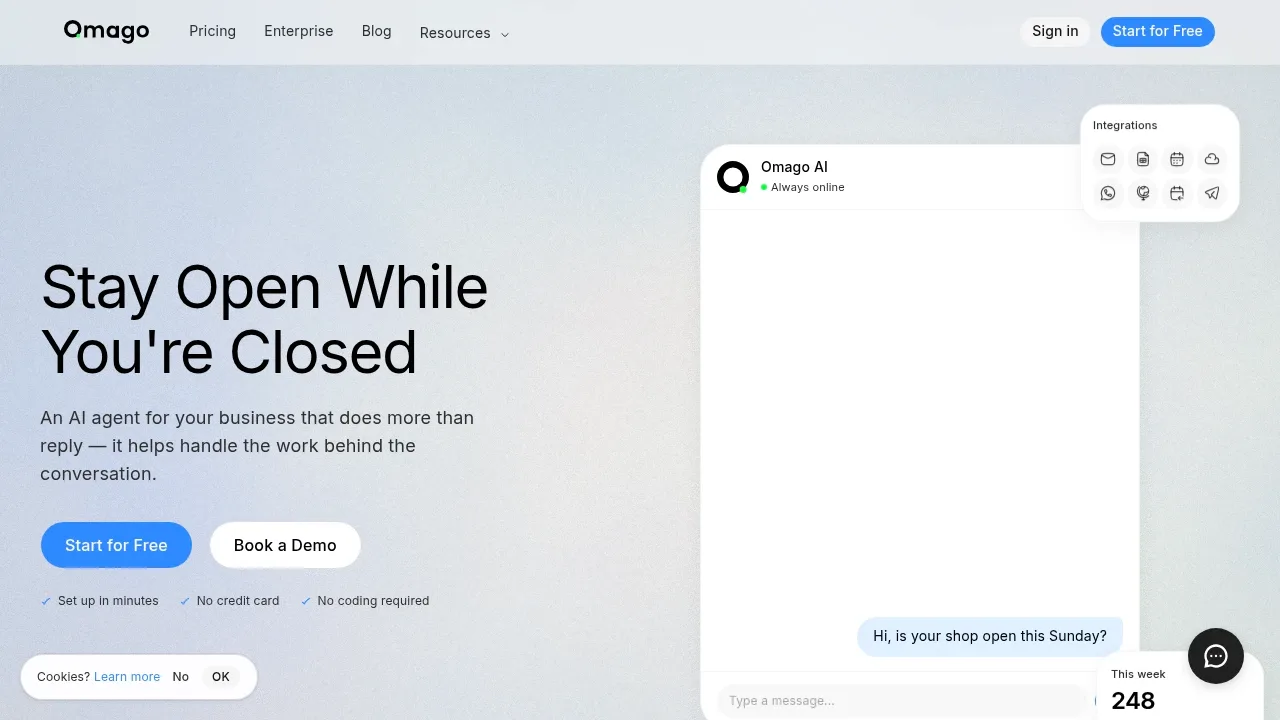
Omago is an AI customer assistant that handles enquiries, collects contact details, and manages bookings around the clock. Set up in minutes, no coding required. Supports website, WhatsApp, and Telegram.
Summary
Omago is a 24/7 AI customer agent that automatically handles enquiries, captures leads, and schedules appointments for small and mid-sized businesses. Even when your team is offline, the system responds instantly to ensure no enquiry goes unanswered.
What is Omago?
Omago is a conversational AI platform built for restaurants, clinics, service businesses, and professional firms. The system answers customer questions based on your business information (services, hours, FAQs), collects contact details, and supports real-time booking. No coding required — set up in minutes and integrate with your website, WhatsApp, and Telegram.
Core Capabilities
- Instant automated replies — answers customer questions using your knowledge base, any time of day
- Lead capture — automatically collects names, emails, and enquiry details for follow-up
- 24/7 booking system — customers book appointments themselves, no back-and-forth, no double bookings
- Multilingual support — detects and replies in the customer's language (English, Traditional Chinese, Simplified Chinese, Japanese, Korean, and more)
- Multi-channel integration — supports website widget, WhatsApp Business, and Telegram with unified conversation management
- Live dashboard — view conversation history, new leads, and system activity in real time
Pros
- Set up in minutes — upload your business info and go live, no technical skills needed
- Zero missed enquiries — late-night and weekend questions are answered and logged instantly
- Automatic contact collection — every enquiry becomes a trackable lead
- Reduces repetitive work — AI handles common questions so your team focuses on high-value tasks
- Free to start — no credit card required, paid plans from $49/month
Positioning & best fit
Omago is designed for small and mid-sized businesses that handle high enquiry volumes but have limited resources. It's especially valuable for teams that receive enquiries outside business hours and want to automate initial customer contact to improve conversion.
- Restaurants & cafés — answer booking, menu, and hours questions even after closing time
- Clinics & practices — handle patient enquiries outside office hours, reduce front-desk call load
- Service businesses (beauty, repair, consulting) — capture quote requests in the evening and on weekends, follow up the next day
- Professional firms (legal, accounting) — capture new-client enquiries before they go cold

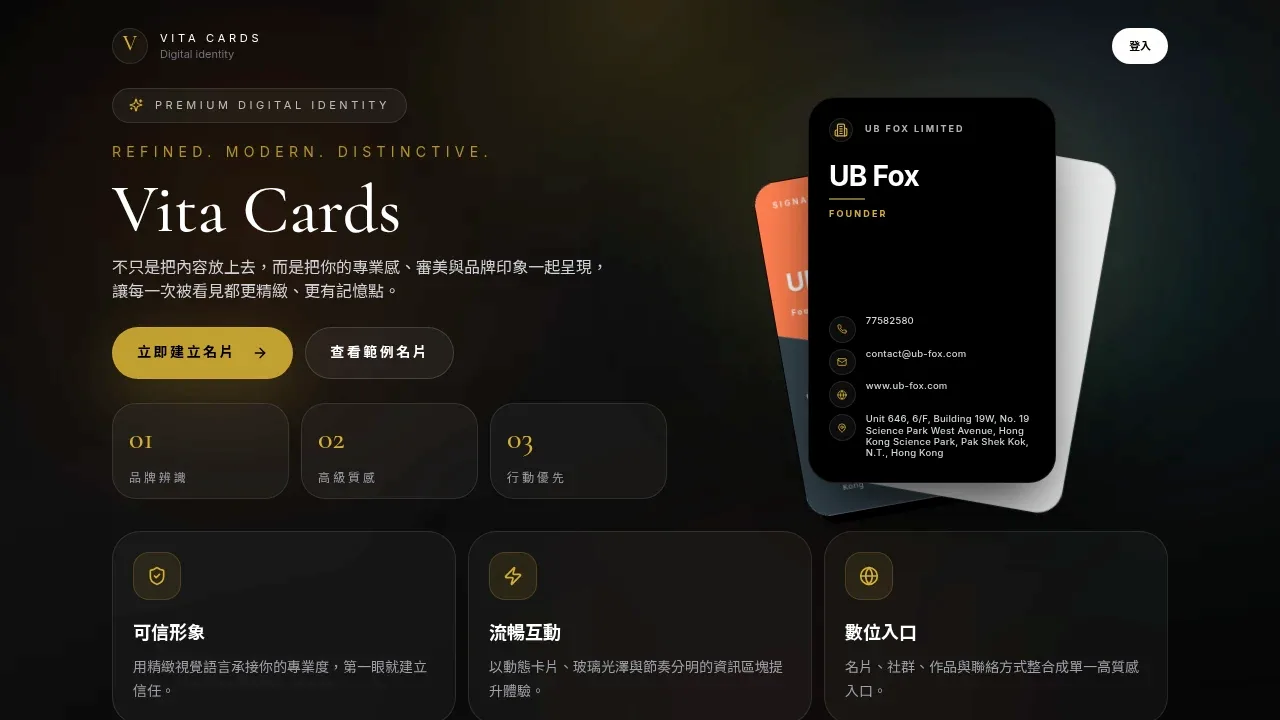
Vita Cards delivers a high-impact digital identity hub for professionals, integrating contact info, social links, and portfolio into one refined, mobile-first experience that builds trust and brand recognition.
Summary
Vita Cards is a digital identity platform for modern professionals, consolidating business cards, social links, portfolio, and contact details into a single, high-quality entry point with refined visuals and smooth interactions to elevate personal brand recognition and credibility.
What is Vita Cards?
Vita Cards offers a digital business card solution that presents professional identity through dynamic cards, glass-effect design, and clear information blocks. The platform emphasizes visual quality and mobile-first experience, helping entrepreneurs, consultants, designers, and other professionals establish a trustworthy image in digital environments, replacing traditional paper cards with a digital brand hub.
Core Capabilities
- Multi-theme design: Signature Theme and other refined visual templates for brand recognition
- Unified information: Integrates phone, email, website, address, and social links in one interface
- Dynamic cards: Swipe interactions and glass-effect visuals enhance user experience
- Mobile-first: Optimized for smartphone browsing with smooth loading and navigation
- Instant sharing: Share digital identity via link without physical cards
Pros
- Premium visuals: Refined design language strengthens professional image and brand recall
- All-in-one hub: Consolidates contact and showcase info, simplifying audience access
- Real-time updates: Modify content anytime without reprinting cards
- Eco-friendly: Reduces paper waste and improves sharing efficiency
- Brand consistency: Unified visual style reinforces personal or corporate brand identity
Positioning & best fit
Vita Cards is built for professionals who value brand image and digital presentation, ideal for individuals and teams that need frequent networking, portfolio showcasing, or credible identity building. The platform centers on visual quality and integration to help users stand out in digital environments.
- Founders & entrepreneurs: Present professionalism and brand tone to investors and partners
- Designers & creatives: Integrate portfolio and contact info with strong visual impact
- Consultants & freelancers: Share credible identity quickly, simplifying client outreach
- Corporate teams: Standardize employee digital cards for consistent brand identity
Exploring the ecosystem? See the similar products series and browse Unwire Launch, a directory of Hong Kong products with categories and tags.

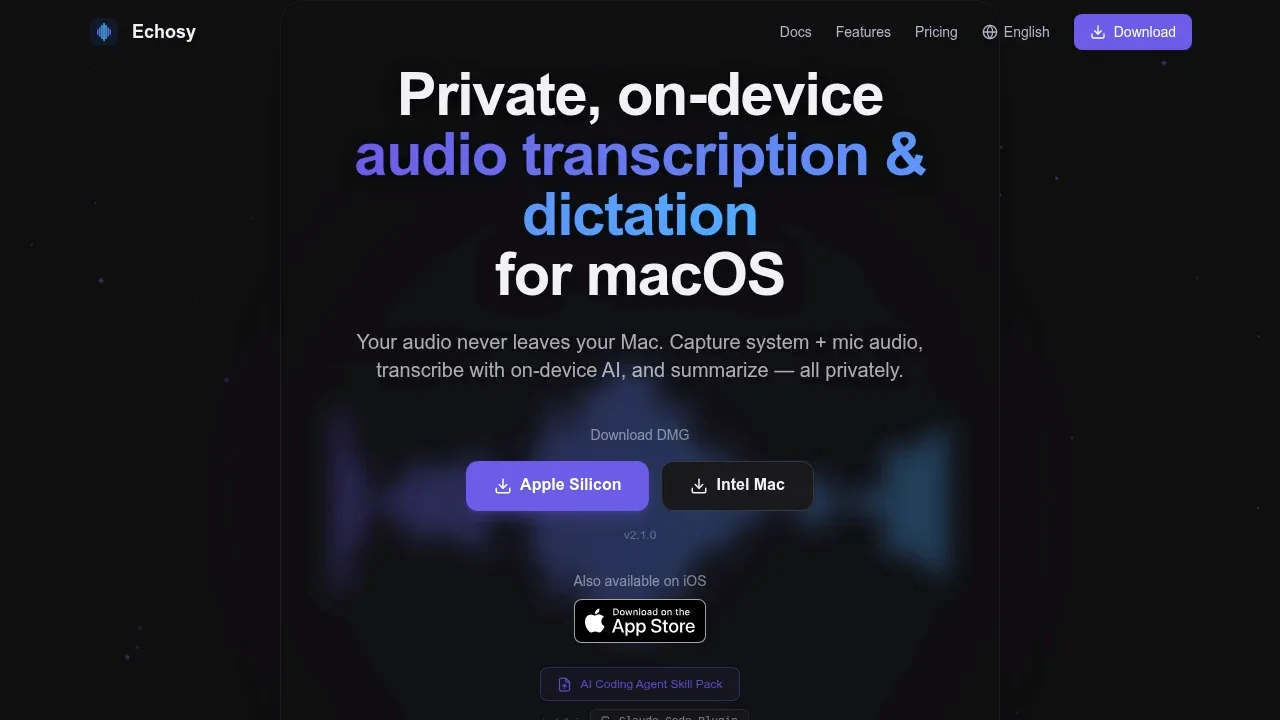
Offline audio transcription for macOS. Whisper & Qwen3-ASR on-device. Record meetings, lectures, conversations. System audio + mic, real-time captions, universal dictation, AI summaries. Audio stays on your Mac.
Summary
Echosy is a privacy-first offline transcription tool for macOS. All processing happens on-device with no cloud upload. Captures system audio and mic simultaneously, transcribes in real-time, and generates AI summaries.
What is Echosy?
Echosy is an on-device speech-to-text app for macOS. It uses Qwen3-ASR, MLX Whisper, and other local AI models with GPU acceleration to transcribe audio in 99+ languages. Users can record meetings, lectures, or conversations, with real-time transcription and export to Markdown, TXT, SRT, VTT, DOCX, or PDF. Built-in Gemma 4 and Qwen 3.5 models enable summaries without API keys, ideal for sensitive content and offline environments.
Core Capabilities
- Real-time transcription: System audio + mic capture with timestamped text output
- Multiple ASR models: Qwen3-ASR (Cantonese, Hokkien, Shanghainese dialect support), MLX Whisper, Tiny/Base/Small/Medium/Large V3 Whisper
- Universal dictation: Hotkey activation, Editor Mode auto line breaks, voice-triggered Enter
- On-device AI summaries: Built-in Gemma 4, Qwen 3.5, or connect OpenAI, Gemini, Claude, Ollama APIs
- Batch file transcription: Drag & drop WAV, MP3, MP4, MOV, M4A for batch processing
- Session history: Calendar view, search, replay past recordings with full transcripts
- Vocabulary biasing: Custom keywords and terminology for improved accuracy
- Real-time translation: Auto-translate during transcription, processed locally
Pros
- Privacy guaranteed: Audio and transcripts processed entirely on-device, no cloud upload, suitable for sensitive meetings and confidential work
- Offline operation: No internet required after model download, works in air-gapped environments and during travel
- Multi-language support: 99+ languages, Qwen3-ASR excels at Chinese dialects (Cantonese, Hokkien, Shanghainese)
- Flexible configuration: Choose from lightweight Tiny Whisper (75 MB) to Large V3 (3 GB) based on resource needs
- Free to start: Free tier offers 15 min/session, Qwen3-ASR 0.6B model, 3 AI summaries and chats per day
Positioning & best fit
Echosy is built for macOS users who prioritize privacy and offline capability, ideal for individuals and teams needing on-device transcription and AI summaries.
- Journalists, researchers, students: Record interviews, lectures, meetings with on-device transcription and summaries to protect source privacy
- Content creators, podcasters: Batch transcribe audio and video files, export SRT and VTT subtitles
- Enterprise users: Sensitive meetings, legal consultations, medical records requiring offline processing (Enterprise license required)
- Developers: Access meeting transcripts via Claude Code Plugin, integrate into AI coding workflows

WordSmith is an English writing assistant app for non-native speakers, offering instant rewriting suggestions, tone adjustments, and grammar fixes for messages, emails, and everyday communication.

Summary
WordSmith is a writing assistant app designed for non-native English speakers, providing instant rewriting, tone adjustments, and grammar fixes to help users communicate clearly in daily situations.
What is WordSmith?
WordSmith is an iPhone-only English writing tool built for everyday scenarios like messages, emails, and social posts. It offers multiple rewrite options for any sentence, learns from user edits over time, and requires no setup to start using.
Core Capabilities
- Instant rewriting: Turn any sentence into clear, natural English with multiple versions to choose from
- Grammar and spelling fixes: Automatically detect and correct grammar, spelling, and tone issues
- Tone adjustment: Adapt writing style for formal or casual contexts
- Preference learning: System learns from user edits to personalize suggestions
- Multi-scenario support: Works for chat messages, work emails, social posts, and daily communication
Pros
- No learning curve—type and get natural rewrite suggestions instantly
- Avoids awkward phrasing and improves communication clarity
- Adapts to user habits for increasingly personalized suggestions
- Supports different tones and contexts for work and personal use
- Built for iPhone, accessible anytime
Positioning & best fit
WordSmith is built for non-native English speakers who need daily confidence in writing messages, emails, and social posts. Ideal for:
- Working professionals: Office workers writing English emails or communicating with international teams
- Students and learners: Individuals improving English writing skills and avoiding common mistakes
- Social media users: Personal users posting clear, natural English content on social platforms
- Daily communicators: Anyone using English chat or messaging who wants more natural expression

Amploy generates job-specific resumes and cover letters from your base resume and job description. Built-in job tracker, form autofill, and resume editor help you apply faster and get more interviews.

Summary
Amploy is an AI job application tool that generates tailored resumes and cover letters for each role you apply to. Upload your resume, paste a job description, and the platform rewrites your experience to match the role's requirements. It includes form autofill and a job tracker to streamline applications and keep you organized.
What is Amploy?
Amploy is an AI-powered job application platform that reads your base resume and a target job posting, then rewrites your experience, skills, and achievements to align with that specific role. It generates both a customized resume and a cover letter in seconds. The platform also offers a browser extension that autofills application forms on job sites, and a built-in job tracker to manage your pipeline. It's designed for job seekers who apply to multiple roles and want each application to be strategically aligned.
Core Capabilities
- AI resume customization — Rewrites experience and achievements to highlight relevance for each job
- Cover letter generation — Creates role-specific cover letters that reference the company and position
- Form autofill — Browser extension reads application forms and suggests answers; accept with Tab
- Job tracker — Logs application status (applied, interviewing, rejected) and links to materials
- Resume editor — Edit generated content before downloading to ensure tone and details match your voice
- English-language focus — Currently supports English applications for Hong Kong, Singapore, and global remote roles
Pros
- Seconds to generate tailored documents — No more manual rewriting for each job; AI adjusts keywords and focus automatically
- Higher interview callback rate — Targeted content passes ATS filters and recruiter screens more effectively than generic resumes
- Saves time on form filling — Autofill reads fields and suggests answers, reducing repetitive typing
- All-in-one job management — Tracker integrates application status and materials without needing a separate spreadsheet
- Free plan available — 10 credits per month (≈5 documents) lets you try the tool before committing
Positioning & best fit
Amploy is built for job seekers who apply to multiple roles and want each application to be strategically aligned with the job description. Whether you're a recent graduate, career switcher, or employed professional exploring new opportunities, Amploy saves time and improves your chances of getting interviews.
- Recent graduates and entry-level candidates — Quickly adapt your resume for different companies and roles to increase application volume
- Career switchers — Reframe your experience to highlight transferable skills for a new industry or function
- Employed job seekers — Limited time but want every application to be targeted; autofill is especially useful
- High-volume applicants — Applying to multiple roles per week and need a tool to manage versions and pipeline
The platform currently focuses on English-language applications, making it ideal for Hong Kong, Singapore, and international markets. If you're applying primarily to local Chinese-language roles, Amploy does not yet support Chinese resume generation.

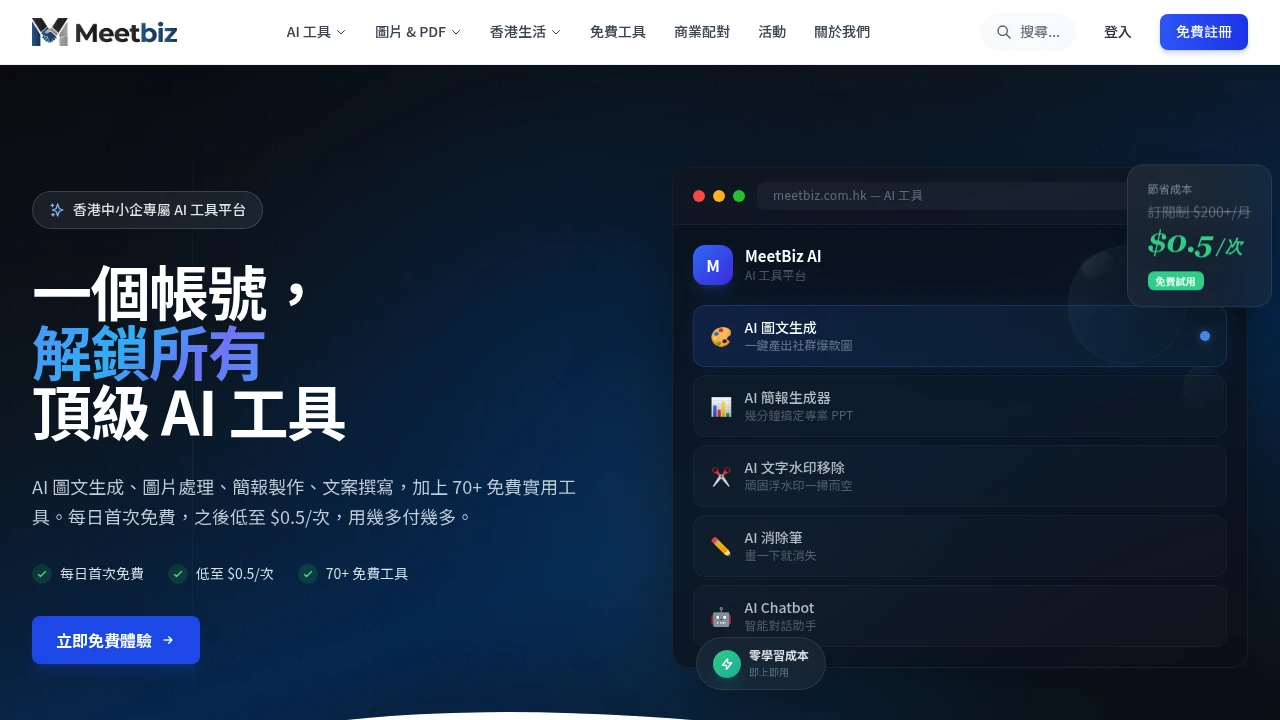
MeetBiz is an AI tool platform for Hong Kong SMEs, offering AI image & text generation, presentation creation, watermark removal, and 70+ free tools. Pay-per-use from $0.5, zero learning curve.
Summary
MeetBiz is an AI tool platform designed for Hong Kong SMEs, integrating image & text generation, presentation creation, image editing, and intelligent business matching. Pay-per-use pricing replaces subscriptions: first use free daily, then from $0.5 per use.
What is MeetBiz?
MeetBiz consolidates multiple top-tier AI tools into a single platform, enabling SMEs to access professional-grade AI without complex setup. The platform covers social media content creation, presentation generation, image editing, and supply-demand matching, plus 70+ free utilities (PDF processing, video compression, QR code generation). All AI parameters are pre-optimized—users simply upload assets or input requirements, and the system handles the rest.
Core Capabilities
- AI Image & Text Generation: Upload product photos to generate promotional images, marketing copy, and hashtags simultaneously; 8 style templates adapted for Xiaohongshu, Instagram, Facebook
- AI Presentation Generator: Input a topic for automatic research and professional narrative structure; export PPTX or PDF for pitch decks, product intros, training materials
- AI Text Watermark Removal: Auto-detect semi-transparent watermarks and subtitles, intelligently reconstruct background texture, restore clean images in 10 seconds
- AI Eraser: Brush over passersby, wires, clutter to remove them; AI naturally fills background, zero Photoshop skills required
- Smart Business Matching: Conversational search for suppliers or clients; AI precisely matches partners from platform supply-demand data
- 70+ Free Tools: Image background removal & compression, PDF merge & split, video-to-GIF, favicon creation, Hong Kong parking & restaurant info
Pros
- Pay-per-use pricing: First use free daily, then from $0.5 per use—saves cost vs. subscriptions ($200+/month)
- Zero learning curve: All AI parameters pre-tuned; upload assets or input needs for automatic processing
- Professional-grade output: Deep optimization ensures quality far exceeds raw AI; images and presentations meet commercial standards
- Multi-platform adaptation: Auto-generates content matching each social platform's aspect ratios and styles; publish immediately
- All-in-one integration: AI tools, free utilities, and business matching under one account
Positioning & best fit
MeetBiz targets resource-constrained Hong Kong SMEs needing professional content output, ideal for teams unfamiliar with AI who want fast marketing assets or presentations. Pay-per-use suits occasional users avoiding fixed subscription costs; smart matching helps businesses expand networks.
- Social media teams: Small e-commerce or brands needing rapid multi-platform promotional content
- Startups: Creating pitch decks and product intro PPTs with limited budgets but professional output requirements
- Freelancers: Designers and content creators needing AI-assisted tools without high subscription fees
- SMEs seeking partners: Quickly find suppliers or potential clients via AI matching

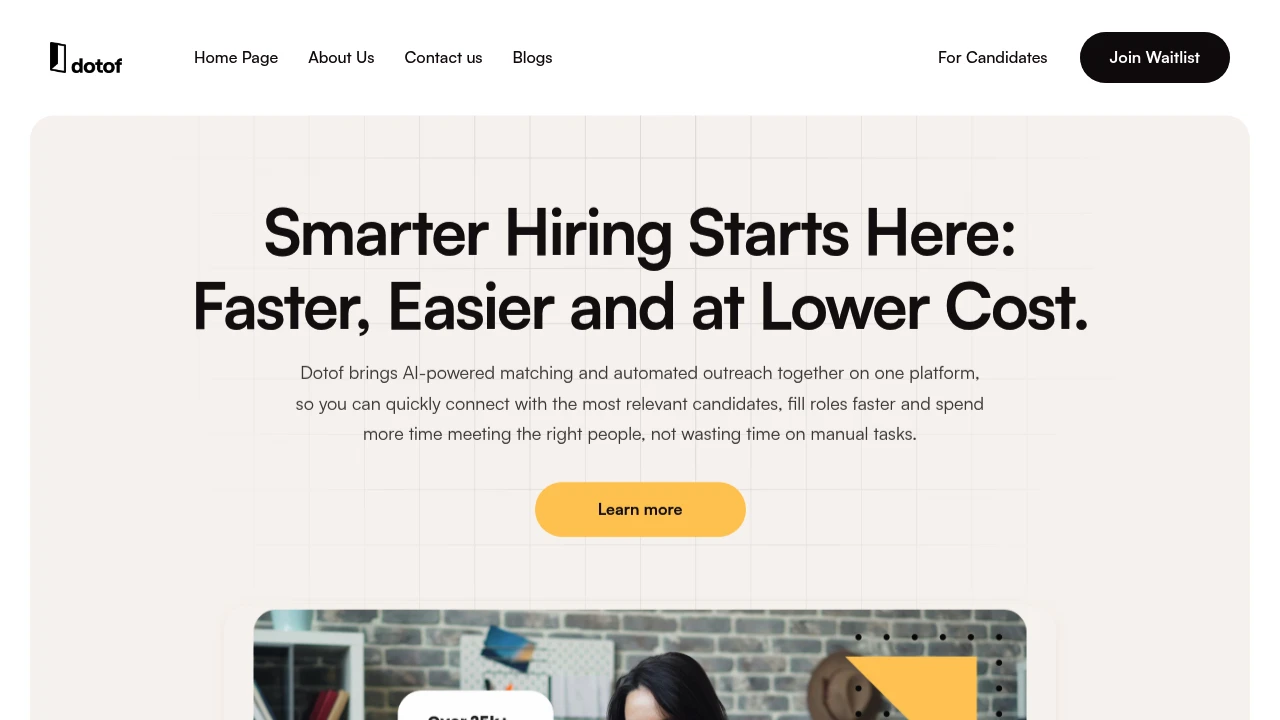
Dotof AI helps employers find the right candidates quickly with intelligent job matching, real-time AI ranking, and automated personalized outreach—streamlining hiring from search to hire.
Summary
Dotof AI is an AI-driven recruitment platform for employers, combining intelligent candidate matching, automated outreach, and real-time ranking to help companies find the right hires faster and reduce manual screening time.
What is Dotof AI?
Dotof AI integrates AI-powered matching and recruitment automation into a single platform. Employers describe their ideal candidate in natural language, and the system instantly ranks and recommends the most relevant profiles. The platform aggregates talent data from multiple sources, provides resume-level detail, and supports personalized messaging at scale—letting hiring teams focus on interviews, not manual filtering.
Core Capabilities
- AI candidate ranking — Prioritize candidates based on must-haves and preferences; rankings adjust in real time
- Natural language search — Describe needs in everyday language, no complex keywords or Boolean logic required
- Resume-level profiles — Candidates share full, structured information in a confidential space for accurate decision-making
- Multi-source talent pool — Aggregates data from professional networks and platform databases in one place
- Branded job pages — Showcase company culture and benefits to boost candidate engagement
- Automated personalized messaging — Send custom outreach at scale, improving response rates by 40%
Pros
- Saves screening time — AI ranking and matching reduce manual resume review workload
- Improves match accuracy — Understands context, not just keywords, to surface truly relevant candidates
- Accelerates hiring — Automated outreach and real-time ranking shorten time-to-hire
- Scales for lean teams — Small recruiting teams can efficiently manage multiple roles and candidates
- Supports niche roles — Proactively reach qualified candidates even when job ads have limited reach
Positioning & best fit
Dotof AI is built for companies that need fast, precise hiring—especially teams with limited resources but frequent recruiting needs. Whether you're a startup building employer brand or a large enterprise handling high application volumes, the platform adapts to different scales and scenarios.
- Fast-growing startups — Attract talent with targeted outreach, even while building employer reputation
- Lean hiring teams — Automate screening and outreach so teams can focus on interviews and decisions
- Frequent hiring organizations — AI quickly adapts to shifting job requirements and continuously surfaces relevant candidates
- Niche or specialized roles — Proactively connect with qualified candidates beyond the reach of traditional job ads


